

Deploy to GitHub Pages
One-time setup
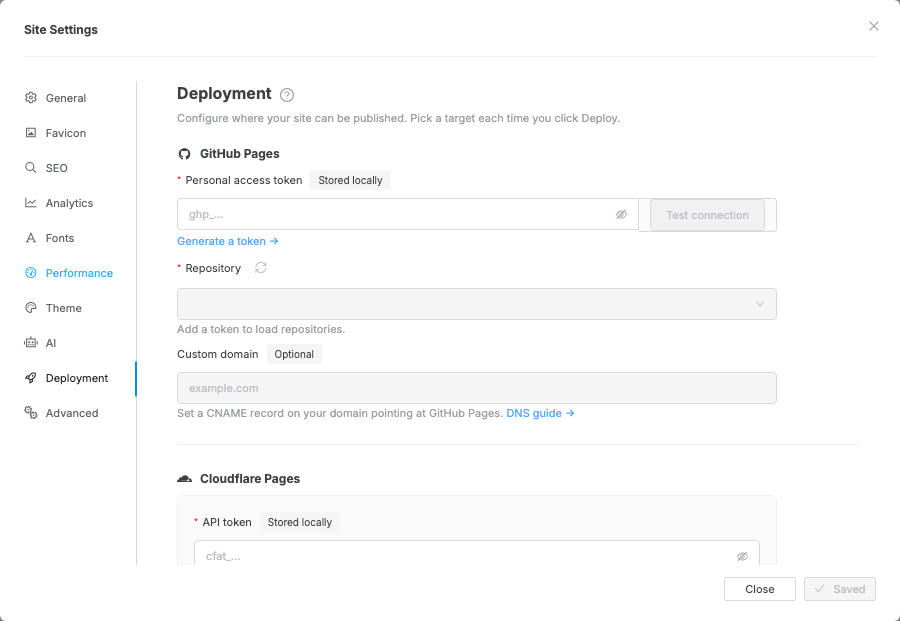
Section titled “One-time setup”Click Publish at the right of the topbar and choose GitHub Pages — until it is set up, that opens its setup in Settings → Deployment.
- Paste your personal access token.
- Click Test connection to confirm the token can access GitHub.
Pick a Repository from the list. If it is not listed, create it on GitHub first, then refresh the repository list in Swebsy.
Pick the Branch that should receive the generated site files.
gh-pagesremains the default and is created on the first deployment if it does not exist.Optionally enter a custom domain (e.g.
www.example.com). Swebsy writes aCNAMEfile for you.- Click Save.
Deploy
Section titled “Deploy”- Click Publish at the right of the topbar.
If GitHub Pages is the site’s host, click Publish on its card at the top of the menu: it publishes straight away. Otherwise click GitHub Pages in the list below it.
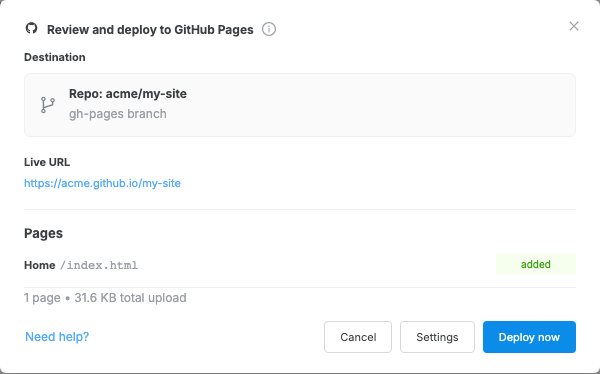
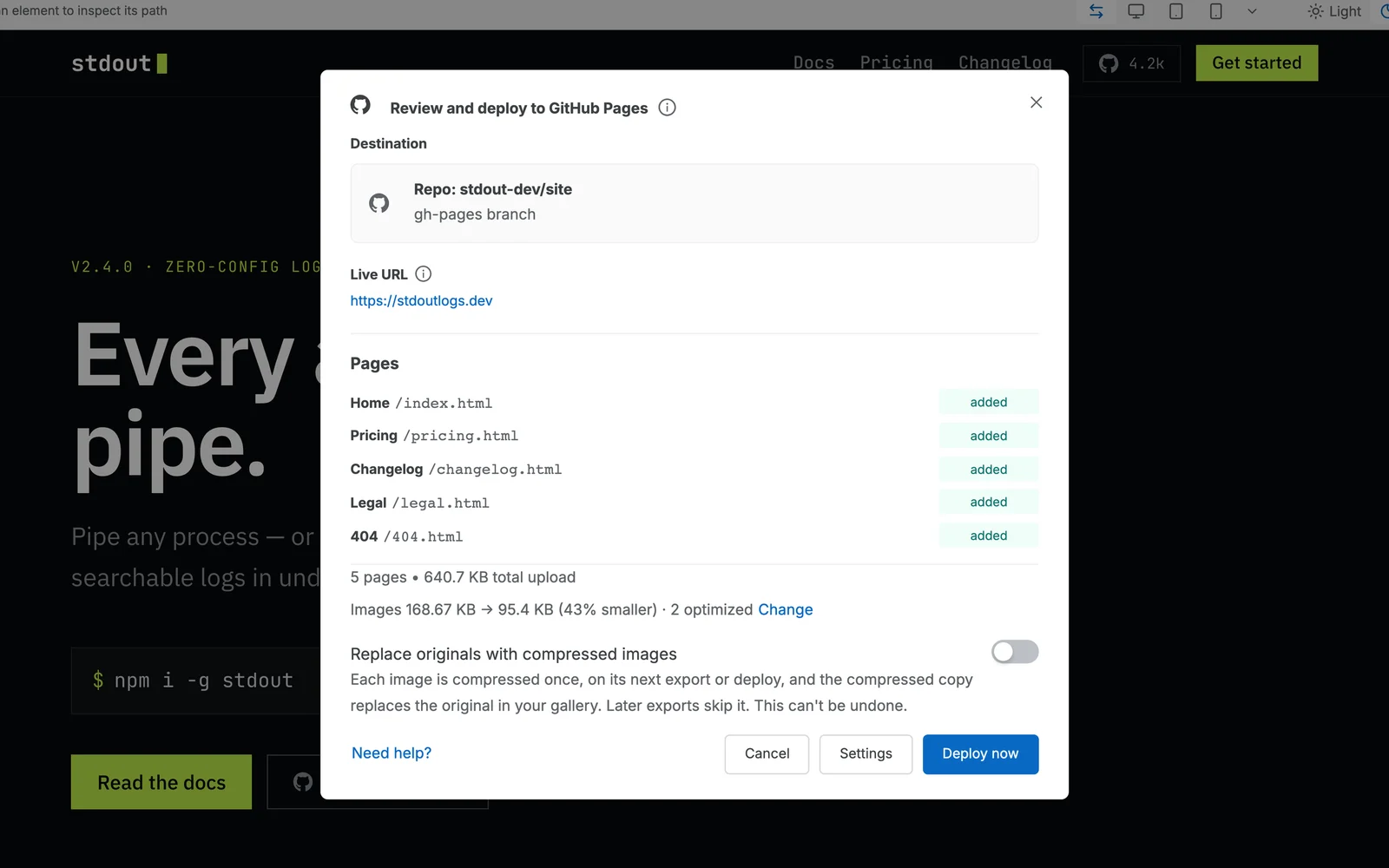
From the list, or when there is a warning, the Deploy review modal opens, showing the target repository, live URL, pages, upload size, and any warnings.
- Review the plan, then click Deploy now.
A progress indicator shows while Swebsy builds and publishes your site to GitHub.

Custom domain
Section titled “Custom domain”After deploying with a custom domain configured:
- In your DNS provider, add a
CNAMErecord pointingwww.example.com→<owner>.github.io. - In your GitHub repository settings, go to Pages and verify the custom domain.
GitHub automatically sets up a secure https:// connection for your domain (takes a few minutes).
“Permission denied” error — your token needs repo scope (classic), or fine-grained permissions that let Swebsy write repository contents and configure Pages for the selected repository. Check the token’s permissions on GitHub.
Repository not listed — confirm the token can access that repository, then refresh the repository list. For fine-grained tokens, make sure the repository is included in the token’s repository access list.
Blank page after deploy — GitHub Pages may need a few minutes to activate on first deploy. Also check Settings → Pages in the repository to confirm it is publishing from the branch selected in Swebsy.
Custom domain shows a certificate error — DNS changes take time to propagate. Wait 15–30 minutes and try again.
Assets load with wrong paths — if your repository is at owner/repo, assets should be relative-path referenced. Check that you haven’t hardcoded absolute paths starting with /.