

Create a nonprofit campaign page with donation and volunteer actions
A good campaign page says who you help, what you’re doing right now, and what a supporter can do next. And it gives people enough real detail to trust the ask.
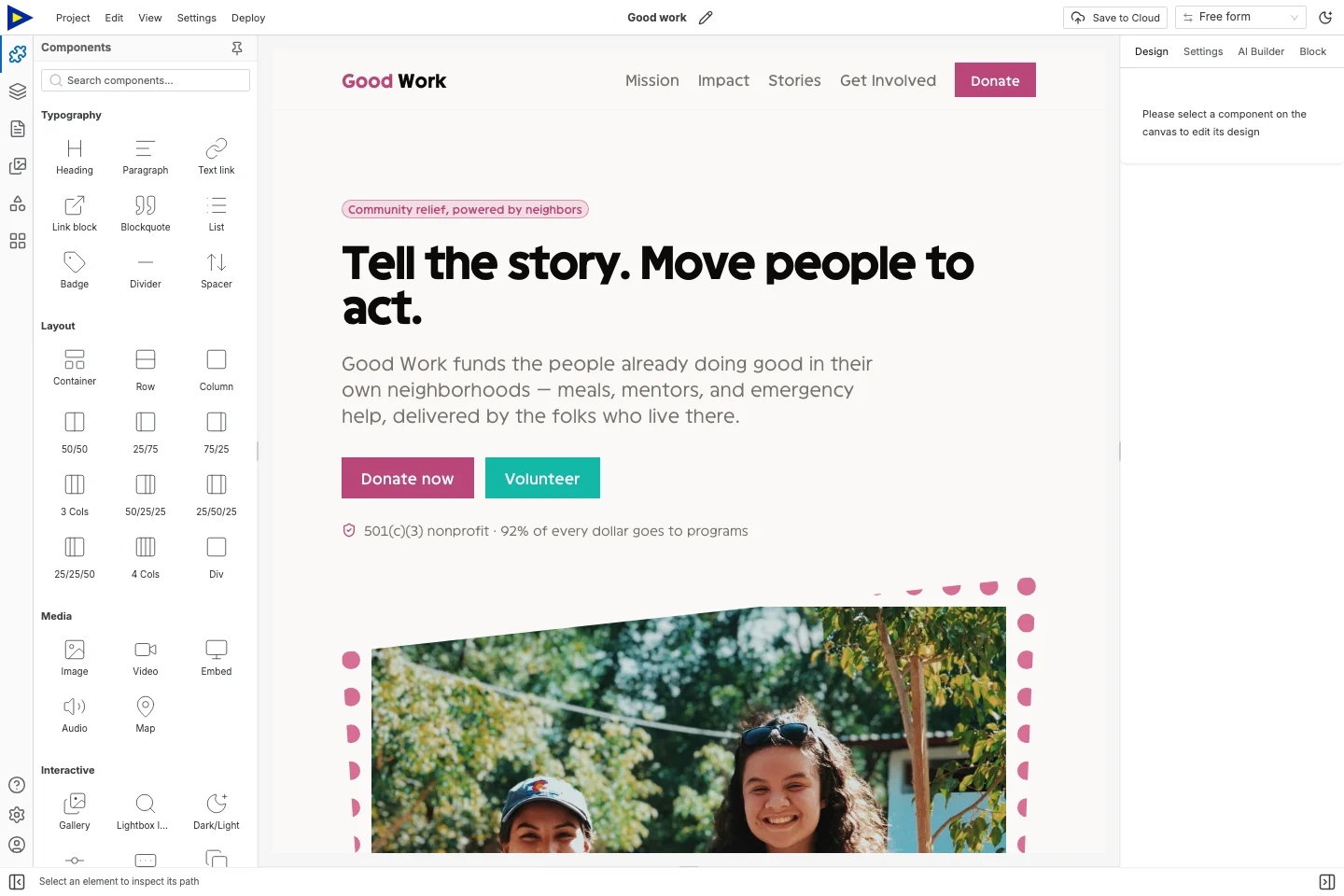
Start with Good Work, a nonprofit template. Its organization, impact numbers, stories, photos and donation amounts are demo content. They’re not evidence for your campaign.
Decide what the site handles
Section titled “Decide what the site handles”Swebsy builds the public campaign pages. Payments, receipts, recurring gifts and donor records stay with your existing donation provider. Swebsy doesn’t process donations and isn’t a donor CRM.
A volunteer form can collect interest. It won’t manage shifts, background checks or volunteer accounts. If you need those, link to the system that does them and say what happens there.
Local editing and static export are free. Budget separately for your domain, hosting, hosted forms if you use them, and your donation provider’s fees. A free editor doesn’t make the whole campaign free.
1. Write one specific brief
Section titled “1. Write one specific brief”Before designing anything, answer these in plain words:
| Question | A useful answer includes |
|---|---|
| What are we trying to change? | A clear need, and the people or place involved |
| What happens next? | What this campaign actually pays for or supports |
| What’s the ask? | A donation, a volunteer enquiry, supplies, or showing up |
| What evidence do we have? | Checked records, stories you can share, or a dated report |
| Who’s responsible? | The organization, and a contact that works |
| When will supporters hear back? | A realistic update date or rhythm |
Don’t invent urgency, targets, endorsements or impact totals. New campaign with no results yet? Explain the plan and how you’ll report progress.
2. Build the homepage around the ask
Section titled “2. Build the homepage around the ask”Open Good Work. Replace the hero with a short line about the campaign and one specific thing to do. A secondary link can explain the work in more depth.
The template has Home, Our Story, Get Involved, Mission and Impact. Only keep a page if you have something different to put on it. One page with a short mission and story beats two nearly empty ones.
Use photos you have permission to publish. Write captions that give context, without implying someone endorses the campaign unless they do.
3. Give your numbers context
Section titled “3. Give your numbers context”An impact number needs a meaning, a timeframe and a source. “Meals delivered in August, from our distribution log” is something people can check. A big number with no explanation isn’t.
Drafting before the numbers are in? Write Impact figure pending verification in your planning notes, and keep the claim off the public page until it’s confirmed. Never publish placeholder stats just to fill a layout.
Link to an existing report if you have one. If you update a progress total by hand, say when you last updated it. The page doesn’t sync with your donation account on its own.
4. Connect the donate button
Section titled “4. Connect the donate button”Select the donate button and point it at the campaign’s own page on your donation provider. Follow the link and check the organization, campaign, currency and donation options are right.
Tell people when they’re heading to the payment provider. Only say things about receipts or how donations are handled that your organization has confirmed. A template can’t promise those for you.
Test the path using the provider’s test mode if it has one. A working link doesn’t prove payments settle or receipts arrive. That’s for the payment system and whoever owns that account to check.
5. Keep volunteer enquiries manageable
Section titled “5. Keep volunteer enquiries manageable”Ask only what you need to reply: name, email, area of interest, maybe availability. Say who will reply and what happens next. Don’t promise an instant placement if someone has to review applications first.
Give every field a visible label and a submitted Name. Pick Collect with Swebsy on Swebsy Hosting, or Post to my own URL with a suitable receiver on another host.
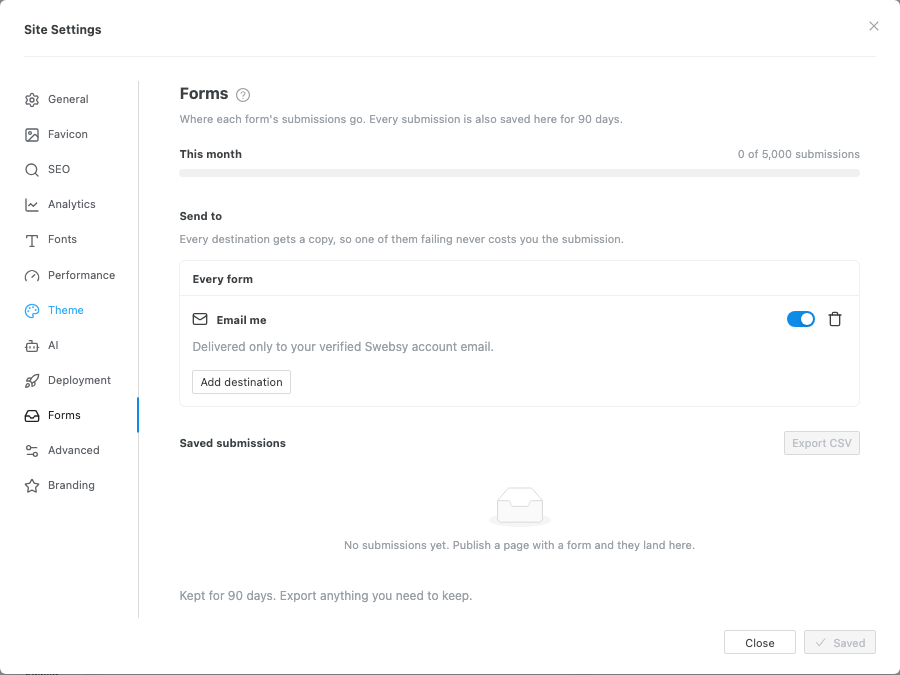
Follow the form delivery checklist. Send a test from the live address, find it at the destination, and check the confirmation message. Make someone responsible for reading and answering enquiries.
6. Check phone and keyboard use
Section titled “6. Check phone and keyboard use”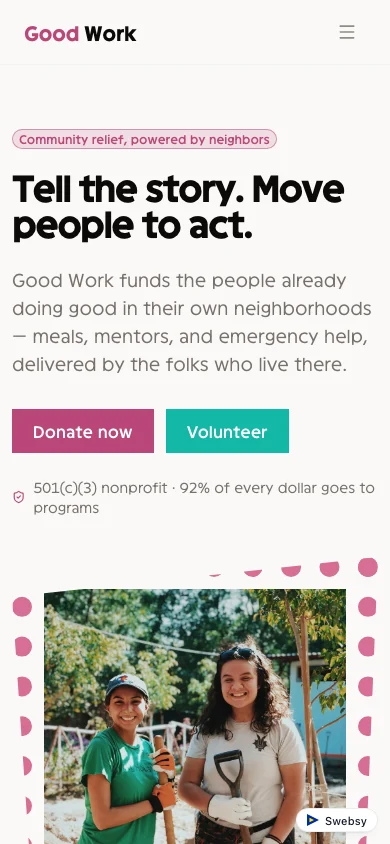
Make sure a supporter can read the campaign, find your contact details, get to the donation provider and send a volunteer enquiry. Check that keyboard focus is visible, labels are readable and links say where they go.
The donate button should make sense without a photo or animation next to it. Anything essential goes in text.
7. Publish, and name who updates it
Section titled “7. Publish, and name who updates it”Set accurate page titles and descriptions, publish or export to your host, and test the live address. Keep an editable project backup somewhere the organization controls.
Write down who owns the domain, who can edit the site and who updates the campaign. Swebsy doesn’t do shared-team editing right now, so agree on how handoffs work instead of sharing a browser profile.
When the campaign ends, update the ask, report what you can back up and remove old deadlines. A small page that’s kept up to date beats a big one whose buttons no longer work.