

Webflow's code export: what's in the ZIP, and what stays behind
Unlike most hosted builders, Webflow will give you your code. Open the main menu, choose Code export (or press Shift + E), click Prepare ZIP, and you get the HTML, CSS, JavaScript and images. (source)
That’s more than Framer offers. But “you can export” and “you can leave” are different claims, and the gap between them is worth knowing before you build.
Disclosure up front: we make Swebsy, a visual builder that also exports plain HTML. So weigh what follows. Every Webflow fact links to Webflow’s own pages, checked 30 September 2026.
Who can export
Section titled “Who can export”Export sits on Workspace plans, not Site plans. Webflow’s help center is explicit: “Site plans do not include the ability to export your site’s code.”
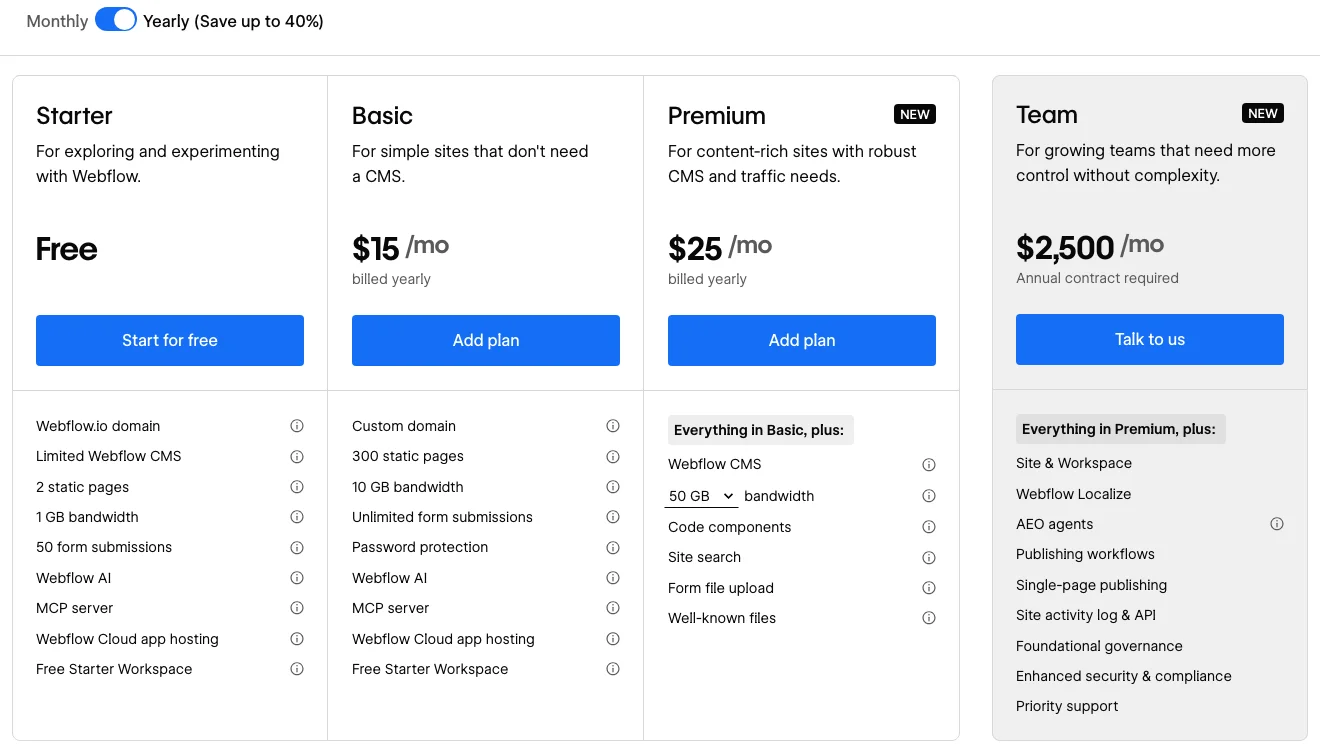
- Site plans pay for hosting: Basic $15/month, Premium $25/month (with the CMS).
- Workspace plans pay for your team’s tools: Core, from $19/month, is the first one with code export.
All billed yearly (pricing). So a hosted site you can also export runs $408 a year on Basic plus Core.
What’s in the ZIP
Section titled “What’s in the ZIP”Every page as an .html file, a css/ folder (your styles plus
webflow.css and normalize.css), a js/ folder, and an images/ folder.
No attribution is required, and the exported site keeps working without a
Webflow plan.
The JavaScript matters: navbars, sliders, tabs, interactions and forms all depend on it. Webflow warns that if you delete those files, “your page might look correct, but it won’t work as expected.”
What stays behind
Section titled “What stays behind”This is the part to read twice. From the same help page, these don’t come with the export:
- CMS content. Collection lists show their empty state, and Collection pages lose anything bound to Collection fields.
- Form processing, including file uploads and reCAPTCHA.
- Site search.
- Password protection. Protected pages become public.
- User accounts and ecommerce.
- Localized content. Only the primary locale is exported.
- Code components.
You can download CMS Collections as CSV, but that’s a backup of the data, not the pages that showed it.
So the export is a faithful copy of a static site. A CMS-driven site comes out as templates with holes in them.
When that’s fine
Section titled “When that’s fine”- The site was static to begin with. A marketing site with no collections exports cleanly. Add a form service and you’re done.
- You want a backup. Webflow lists “back up your code” as a use case, and it’s a good one.
- You’re handing static pages to a client who hosts them.
When it isn’t
Section titled “When it isn’t”- The blog runs on the CMS. Moving off Webflow means a new content system, not a redeploy.
- You rely on protected pages or site search. Those need Webflow’s hosting.
- You want to edit the export and keep designing in Webflow. Webflow notes that manual changes “may break some Webflow components”, and the next export starts from the Webflow project, not your edited files.
What exporting looks like in Swebsy
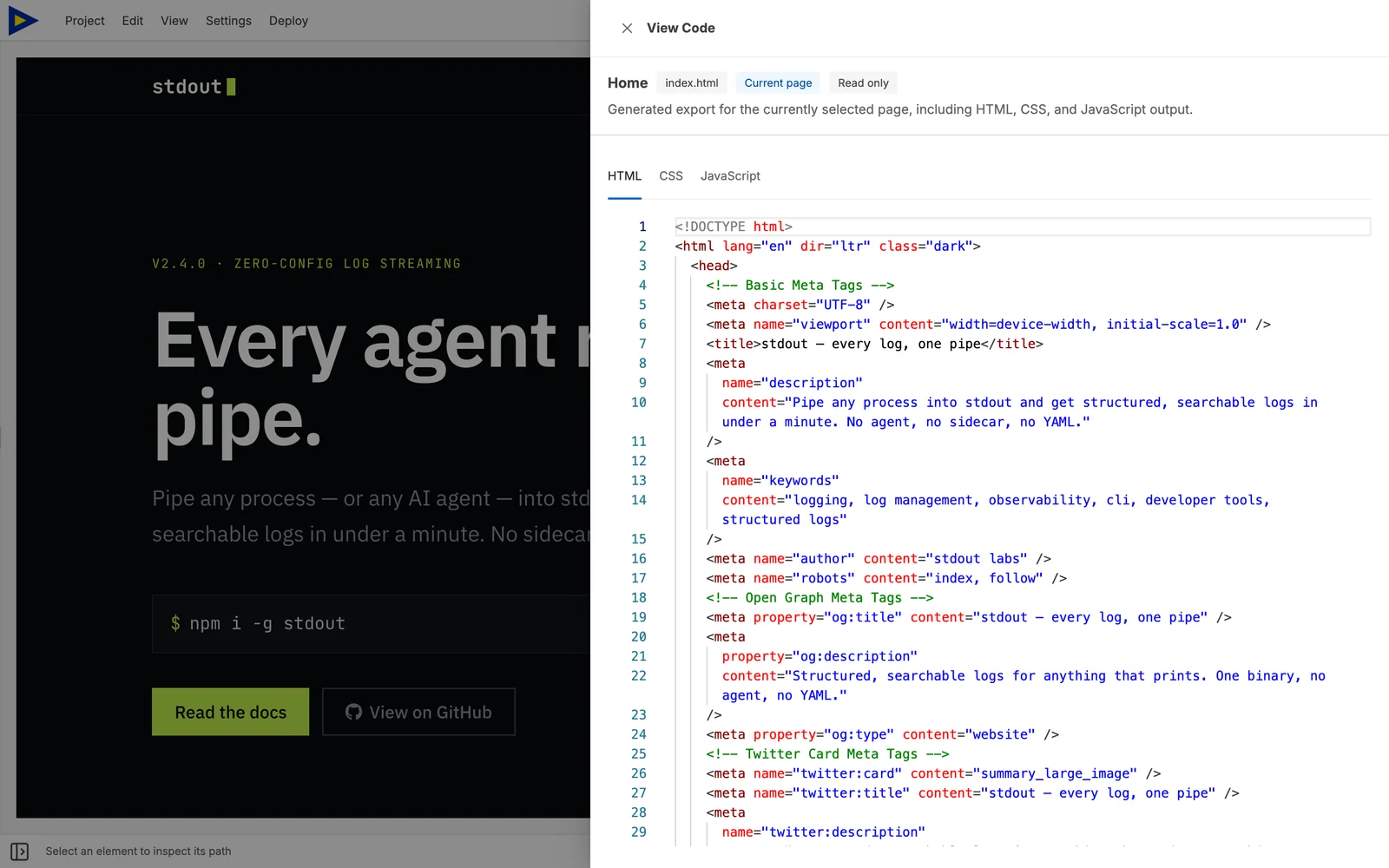
Section titled “What exporting looks like in Swebsy”Swebsy has no CMS, so its exports are static by design, and the export is free
on every plan, with no account. Deploy → Export code downloads a ZIP of
plain HTML, CSS and assets, along with a sitemap.xml and a robots.txt.
Forms are the same trade-off as Webflow’s: Collect with Swebsy needs Swebsy Hosting, and anywhere else you point the form at a service you trust. On the free plan the pages carry a small “Made with Swebsy” badge; a paid plan removes it.
The trade-offs, plainly: no CMS, no team seats yet, and no Webflow importer. Moving means rebuilding the pages, usually from a template.
The short version
Section titled “The short version”If your Webflow site has no collections, its export is real and useful, as long as you’re on a Workspace plan. If the CMS carries the site, the export is a backup, not an exit.
The full side-by-side, with prices for a few common jobs: Swebsy vs Webflow.