

Create a restaurant website with a readable mobile menu
People land on a restaurant site wanting three answers: what can I eat, are you open, and how do I get there or order. Nail those. The brand story can wait.
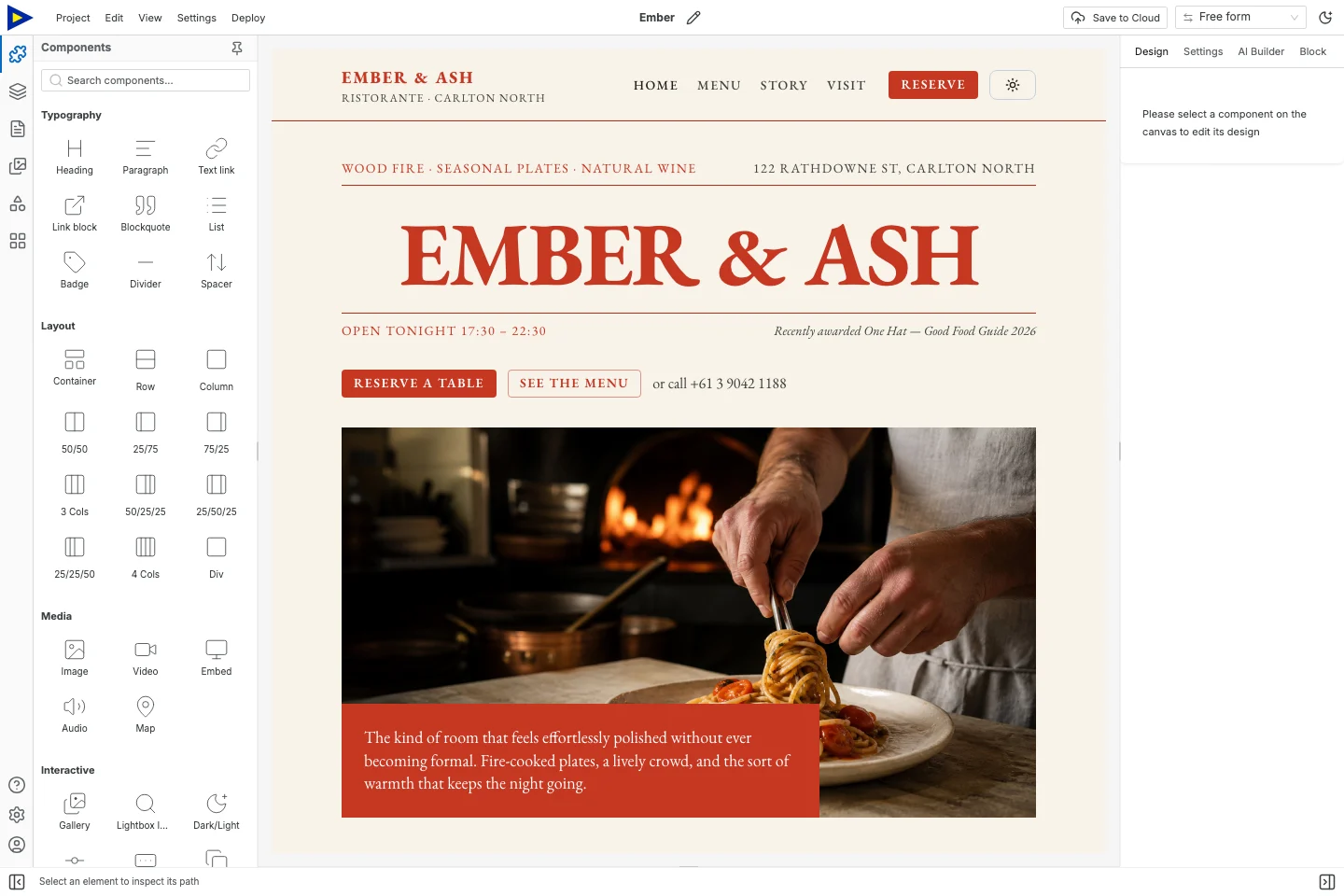
This guide uses Ember, a restaurant template. Its menu, prices, hours, photos, reviews and reservation details are all demo content. Replace anything that isn’t true of your place.
Before you open the builder
Section titled “Before you open the builder”Get the current menu from whoever owns it, plus the right hours, address, contact details, and your actual reservation or ordering link. Figure out who approves changes and who keeps the site updated after launch.
Swebsy makes the public website. Reservation calendars, table management, online ordering, delivery fees and checkout all need an outside service. If a button says “Book a table”, it has to lead somewhere people can really book.
Building locally and exporting are free. A domain, hosting and any ordering or booking service may cost extra.
1. Give the homepage three useful actions
Section titled “1. Give the homepage three useful actions”Open Ember from the template link below. Replace the hero text with a short line about your food and where you are. Use real photos you’re allowed to publish.
Make View the menu easy to spot. Then add whatever comes next for your place: Reserve a table, Order pickup or Get directions. Don’t take reservations? Say so, instead of leaving a button that goes nowhere.
Ember comes with Home, Menu, Story, Visit and Reserve pages. Keep the ones you can fill. A small café might only need Home, Menu and Visit.
2. Put the menu in real text
Section titled “2. Put the menu in real text”Open the Menu page from the Pages panel. Use headings for categories and plain text for each dish, description and price. Text is easier to read, zoom and update than a photo of your printed menu.
Here’s a structure to adapt. The dishes and prices are made up:
| Item | Description | Price |
|---|---|---|
| Roasted squash plate | Squash, lentils, herbs, and lemon dressing | Your current price |
| Mushroom toast | Mushrooms on sourdough with an optional egg | Your current price |
| Seasonal soup | Ask about today’s preparation | Your current price |
Swap in what you actually serve. Get the currency and service details right. Don’t copy dietary or allergen labels from a template. Have whoever’s responsible for the food check them.
A downloadable PDF is fine as an extra, as long as you keep it in sync with the text menu. If the PDF is the only menu, people have to open a separate file just to see what you serve.
3. Make it comfortable on a phone
Section titled “3. Make it comfortable on a phone”Switch to a narrow device preview. Check long dish names, prices, the menu and any two-column rows. Descriptions should wrap inside their column without pushing the price off the screen.
Without zooming out, try to:
- Find the menu from the homepage.
- Read a dish and its price.
- Find today’s hours.
- Open directions or the booking page.
- Get back to the website.
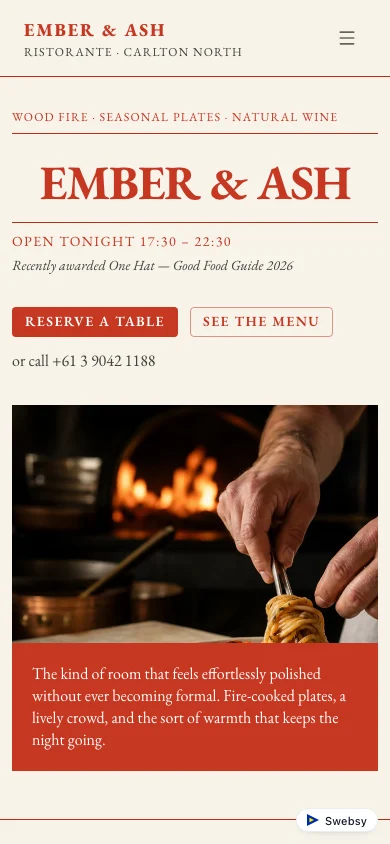
If something spills over, look at that row or image and fix its width and spacing. Don’t shrink all the text to make one big element fit. The controls are in Responsive editing.
4. Add hours, location and the practical stuff
Section titled “4. Add hours, location and the practical stuff”Keep the address and hours as text on the Visit page. Include the postcode, or whatever else tells you apart from a place with a similar name. Add a map link and make sure it goes to the right entrance.
Spell out anything unusual. Kitchen hours might differ from bar hours. Holiday hours might differ from a normal week. Only add accessibility or arrival details you’ve actually checked.
Phone links use tel:. Email links use mailto:. Test both on a phone.
5. Hook up ordering and reservations
Section titled “5. Hook up ordering and reservations”Select each button and set where it goes in the component’s Settings. Link to your restaurant’s own page on the provider, not the provider’s homepage.
Then click through it like a customer would. Check the restaurant, location, timezone and service type are right. Use the provider’s test mode if it has one, and don’t make a real booking or order just to test a link.
An enquiry form can ask for a callback, but it doesn’t reserve a table or guarantee a spot. Label it honestly. If you use one, follow the form setup and delivery check.
6. Publish and make updates a habit
Section titled “6. Publish and make updates a habit”Use Swebsy Hosting or export the site for your own host. Open the live address on a phone and run through the five checks above again.
Export an editable project backup too. Make one person responsible for the menu, prices, hours and links. Update the text menu and the PDF together, and take seasonal specials down when they end.
Someone says “the menu’s wrong”? First check they’re on the current live address and that your latest changes were actually published. Editing in Studio doesn’t update the live site on its own.