

SEO & AI Search
Go to Settings → SEO & AI Search.
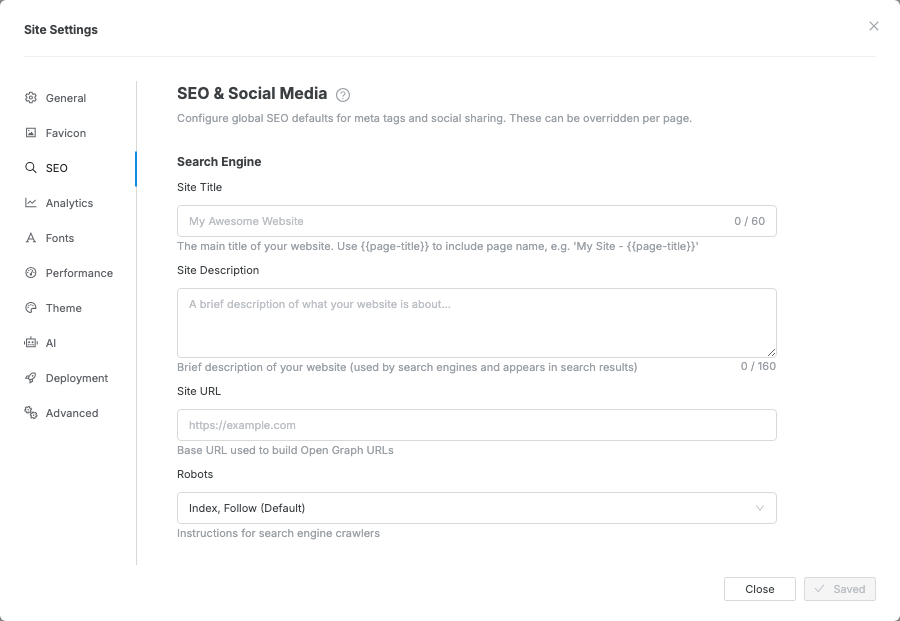
What you can configure
Section titled “What you can configure”| Field | Purpose |
|---|---|
| Site URL | Your site’s public address — used for sharing links and search indexing |
| OG Title | Title shown when your site is shared on social media |
| OG Description | Description shown in social media previews |
| OG Image URL | Image shown in social media link previews |
| OG Type | The type of content (default: website) |
| Twitter Card Type | How links look when shared on X (Twitter): large image or small |
| Twitter Title / Description / Image URL | Overrides for X (Twitter) specifically |
| Robots | Tell search engines whether to index this site (default: yes) |
Set the Site URL before you publish. It is the address written into your
sitemap.xml, robots.txt, canonical links, and the root your ZIP export’s 404 page
loads its styles from — while it is empty those
files point at a placeholder domain and search engines cannot follow them.
Sitemap and robots.txt
Section titled “Sitemap and robots.txt”Under Sitemap & Robots, turn on Generate sitemap and Generate robots.txt. Both files are written to the root of your export. Custom Robots.txt Rules are appended to the generated file if you need to exclude a path.
llms.txt for AI crawlers
Section titled “llms.txt for AI crawlers”Under AI Crawlers, turn on Generate llms.txt. This writes a Markdown
file at /llms.txt describing what your site is and listing your pages — the
convention AI assistants use the way search crawlers use robots.txt.
Leave Custom llms.txt empty to generate it from your site title, description, and pages. Fill it in to write the file yourself.
Structured data (JSON-LD)
Section titled “Structured data (JSON-LD)”Structured data tells search and AI answer engines what your pages mean — who publishes the site, what you sell, what your FAQs are. Click Add structured data and pick a type to start from a filled-in template, then edit the values.
- Scroll to Structured Data at the bottom of the tab.
Click Add structured data and choose a type (Organization, FAQ page, Product, …).
- Edit the values in the JSON panel that opens.
Entries validate as you type; anything still showing an error is not published.
Put facts about the whole site here — Organization, Website. Facts about one page — its FAQ page, its Product, its Article — belong in that page’s own structured data, added the same way from the per-page dialog below.
Per-page meta
Section titled “Per-page meta”Use per-page SEO when one page needs a different title, description, social preview, or structured data:
- Open the Pages tab in the left sidebar.
- Open the page’s three-dot menu.
- Choose Page SEO.
- Enter the page-specific title, description, and sharing fields.
- Click Save and close.
Per-page values override the site-wide defaults for that page only. Pages without overrides keep using Settings → SEO & AI Search. Structured data is the exception: a page’s entries are added to the site-wide ones rather than replacing them.
Preview image doesn’t show on social media — the image URL must be a full web address starting with https://. A local or relative path won’t work.
Search engine setting doesn’t take effect — these settings only apply to your exported or deployed site, not the editor preview.
Sitemap or llms.txt links point at yoursite.com — the Site URL field is still empty. Fill it in and export again.
A structured data entry isn’t in the exported page — it still has a validation error. Open it in the Structured Data list; invalid entries are kept for editing but never published.