

Site settings
Open Settings from the topbar to configure project-wide options that affect every exported or deployed page.
General
Section titled “General”Use Settings → General for site-wide metadata.
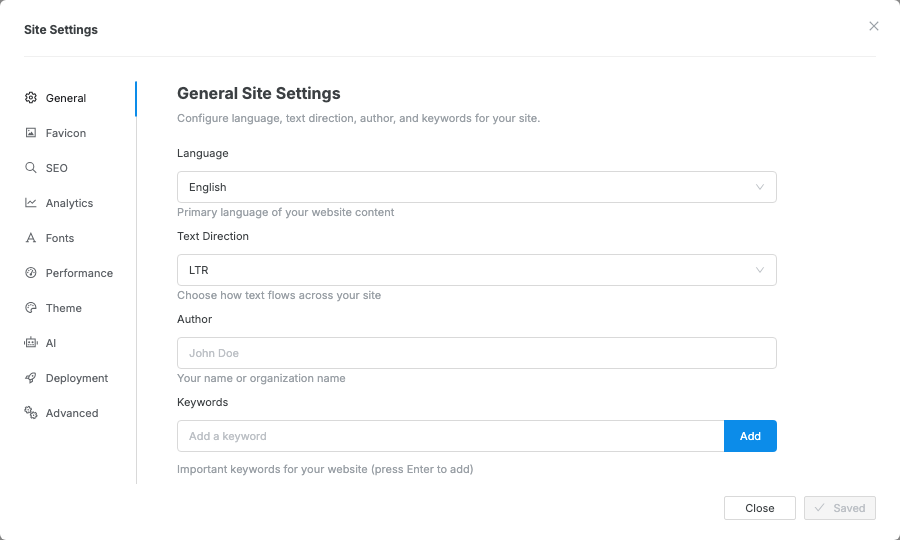
| Field | What it affects |
|---|---|
| Language | The exported page language metadata |
| Text Direction | Left-to-right or right-to-left text flow |
| Author | Author metadata for the exported site |
| Keywords | Search metadata shared by the site |
Branding
Section titled “Branding”Swebsy adds a small Swebsy badge to exported and deployed sites by default. The badge appears in the corner of the published page and automatically adapts to light or dark color mode, including an on-dark logo treatment that keeps the mark readable on dark backgrounds.
Turning the badge off requires a paid plan. On the free plan — and during a Pro trial — the switch is locked on, with a link to sign in, see plans, or manage the trial subscription. A site published on the Free plan with Swebsy Hosting must carry the badge; a publish without it is refused.
- Open Settings → Branding.
- Use the switch to turn the Swebsy badge on or off.
If you turn it off, confirm that you want to disable the badge or choose to keep it on.
- Click Save and close.
If a subscription lapses, the badge returns to exported and deployed pages. Your setting is remembered, not reset — resubscribing restores it.
Favicon
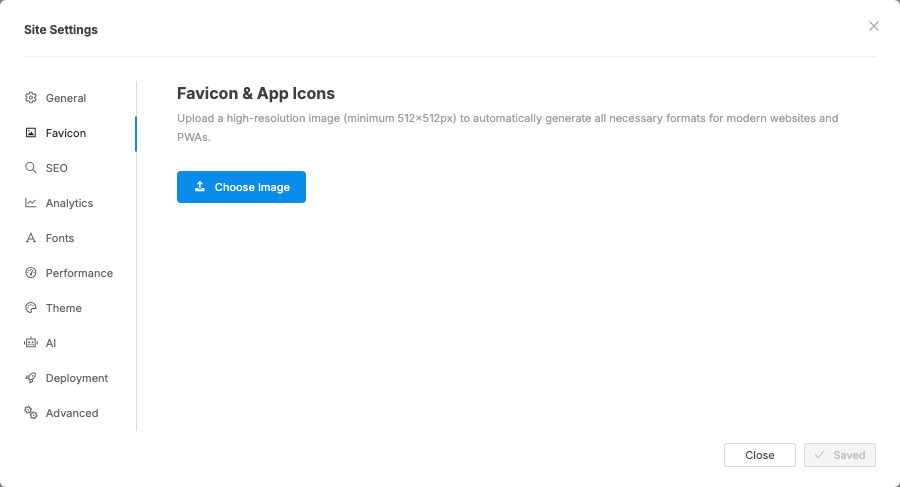
Section titled “Favicon”- Open Settings → Favicon.
- Choose an image from your assets.
- Swebsy generates the required favicon sizes.
- Click Save and close.
Performance & security
Section titled “Performance & security”Use Settings → Performance for export-time performance and security options.
Image optimization
Section titled “Image optimization”Optimize Images on Export re-encodes photos when the site is exported or deployed. It runs in your browser — the images are never uploaded anywhere for processing, and your uploaded originals are left alone unless you turn on Replace originals with compressed images (below).
| Preset | What it produces |
|---|---|
| Balanced | WebP, quality 80, longest edge capped at 2560px |
| Smallest | AVIF, quality 55, longest edge capped at 2048px |
| Custom | Your own format (WebP or AVIF), quality 1–100, and maximum dimension |
Balanced is the default because AVIF only beats WebP by a few percent while taking several times longer to encode, and roughly 5% of visitors use a browser that cannot display it. Pick Smallest when file size matters more than that tail of visitors.
Only PNG and JPEG are touched. SVG, GIF, and already-compressed images pass
through unchanged. In Custom, a maximum dimension of 0 keeps the original
size.
Replace originals with compressed images is off by default. Turn it on and each image is compressed once, on its next export or deploy, and the compressed copy replaces the original in your asset gallery. Later exports skip it, so they get faster. This can’t be undone — keep your own copies of anything you may want at full quality. The same switch appears in the deploy review modal.
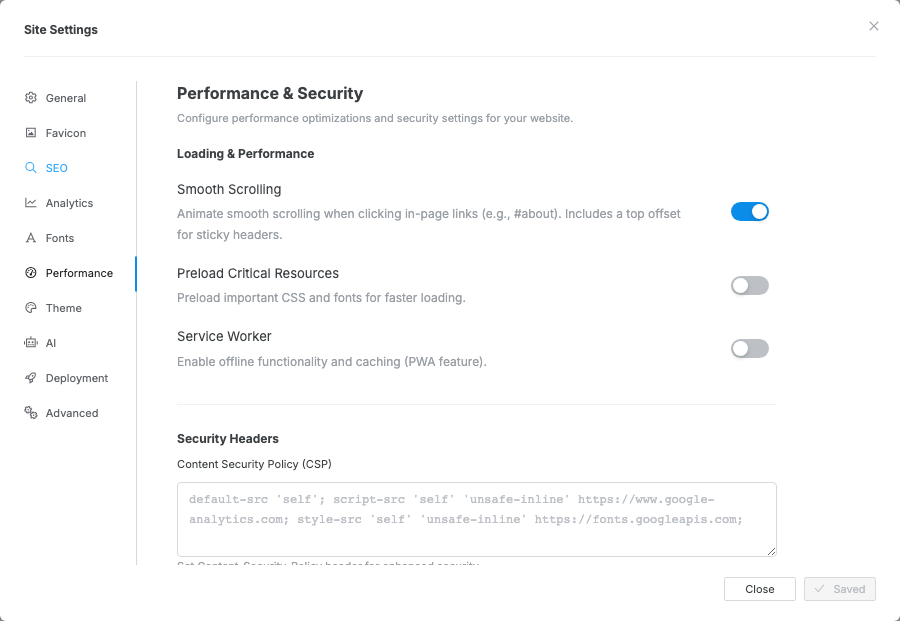
| Option | Use it when |
|---|---|
| Smooth Scrolling | In-page anchor links should scroll smoothly |
| Preload Critical Resources | Important CSS and fonts should load earlier |
| Service Worker | You want offline caching behavior for exported pages |
| Content Security Policy | You need stricter browser rules for scripts, styles, or media |
| Referrer Policy | You want to control referrer data sent to other sites |
| X-Frame-Options | You want to control whether other sites can embed your pages |
Favicon does not update in the browser — browsers cache favicons aggressively. Hard refresh or test in a private window.
Analytics or embeds stop working after CSP changes — add the provider’s script, frame, image, and connection domains to the policy.
Service worker shows old content — clear site data in the browser or deploy again after disabling the service worker.