

Swebsy vs Squarespace: moving your site, cost and ownership
Stay on Squarespace if your site sells products, takes bookings, runs a members area or publishes a regular blog. It does all of that in one place, and Swebsy doesn’t do any of it.
Move to Swebsy if your site is a handful of pages that say who you are,
show your work and help people get in touch. It can live free on a
swebsy.site address, or on your own domain from $69 a year, and you can
download the whole site whenever you like.
We make Swebsy, so weigh that. Every Squarespace fact below links to Squarespace’s own pricing page or help center. Prices are in USD, checked on 23 October 2026.
Why people are looking
Section titled “Why people are looking”On 17 July 2026, PetaPixel reported that Squarespace is raising its plan prices by up to 26%, and that customers are hearing about it by email rather than from a public announcement. On a yearly plan, that lands at your next renewal.
A price rise is a fair reason to look around. It isn’t a reason to rush. If your site needs Squarespace’s store or scheduling, the price of moving is higher than the price rise.
At a glance
Section titled “At a glance”| Squarespace | Swebsy | |
|---|---|---|
| Best for | All-in-one sites with a store, bookings or members | Small sites that present you and bring in enquiries |
| Cheapest plan | Basic, $19/month billed yearly, $25 billed monthly | Free: the whole editor, no account. With a free account, 1 site on a swebsy.site address, with our badge |
| Custom domain | Included from Basic. First year’s registration free on yearly plans | Free on GitHub or Cloudflare Pages. From $69/year on our host. You bring a domain you own |
| Online store | Yes, from Basic | No |
| Blog | Yes | No CMS. A few posts can become pages |
| Scheduling and members | Yes | No |
| Download your site | A WordPress file of some content. No design, no store | The full website ZIP and an editable backup, on every plan |
| AI editing | Squarespace’s own AI tools, part of its plans | Your own ChatGPT or Claude builds in Swebsy. We don’t charge for AI |
What a year costs
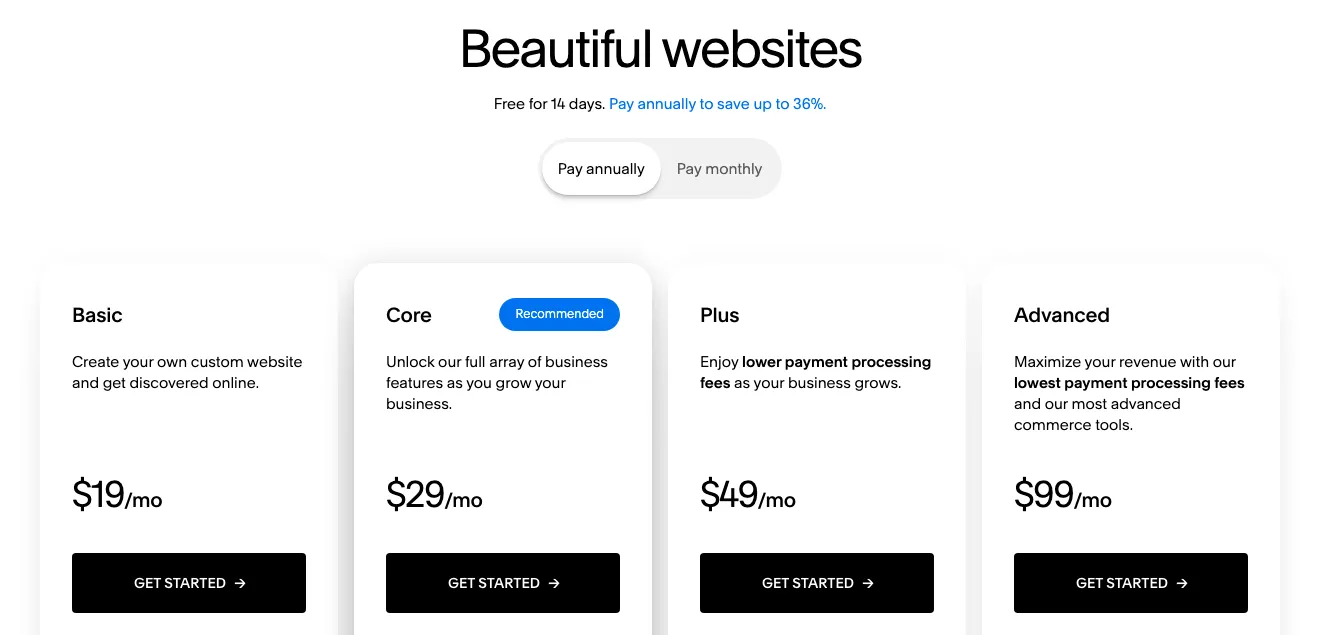
Section titled “What a year costs”Squarespace’s pricing page lists four plans. As of October 2026, billed yearly, they work out per month to Basic $19, Core $29, Plus $49 and Advanced $99. Billed monthly, they are $25, $39, $65 and $139. Yearly plans include the first year of a domain registration. The page shows prices in your local currency, so check it from where you are.
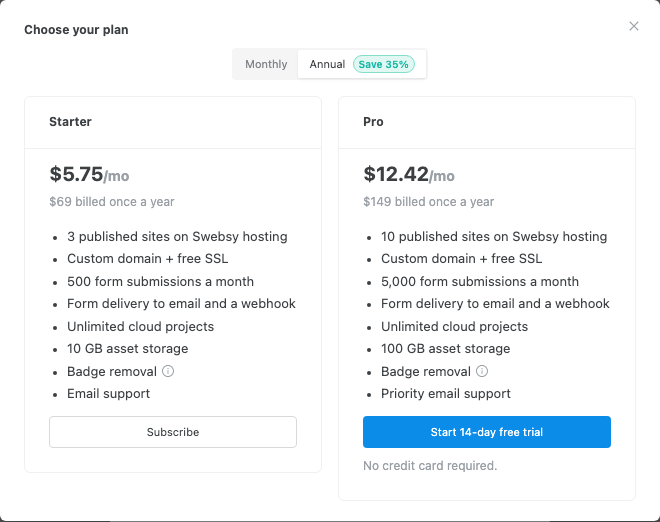
Swebsy’s free plan is the whole editor, with no time limit. A free account adds
one hosted site on yourname.swebsy.site, with our badge. The paid plans add
custom domains, more hosted sites, hosted forms and badge removal:
What a year costs for a few common jobs, billed yearly:
| The job | Squarespace | Swebsy |
|---|---|---|
| A 5-page site on a free address | Not offered | $0 on swebsy.site |
| A 5-page site on your own domain, with a form | $228 (Basic) | $69 hosted, or $0 on GitHub or Cloudflare Pages plus an outside form service |
| A site that sells products | $228 and up | Not a fit. There’s no store |
| A site with online booking | Yes, with its scheduling tool | Not a fit. Link to a booking service instead |
Your domain’s own renewal is extra on Swebsy, wherever it’s registered. If it sits with Squarespace today, you can keep it there and point it at your new site.
What moves over
Section titled “What moves over”A move to Swebsy is a rebuild, not an import. There’s no Squarespace importer, and Squarespace’s export is a WordPress file of some of your content. It leaves out style settings, custom CSS, store pages and most other page types, so it wouldn’t help much anyway.
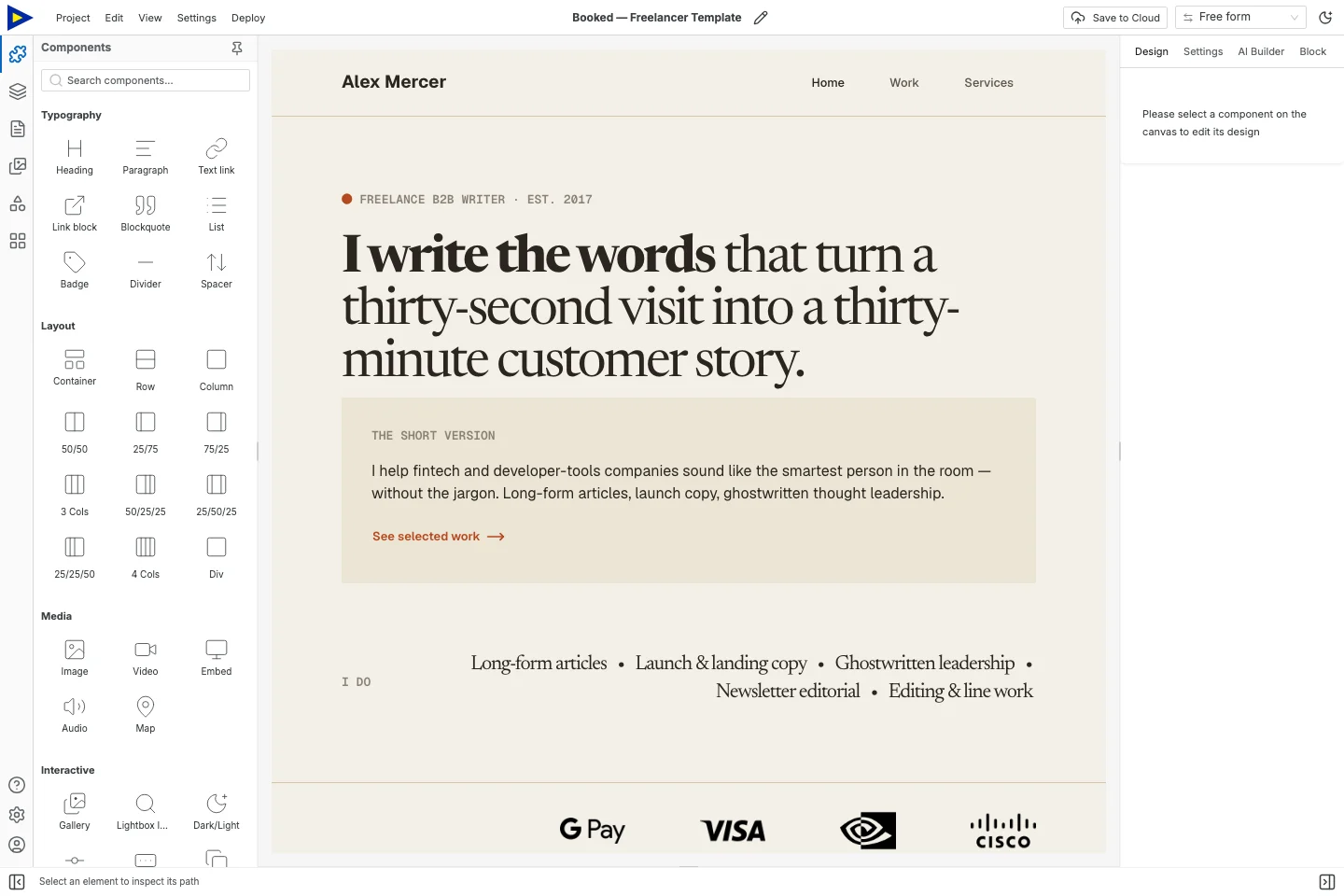
What you bring is everything a visitor reads:
- Your pages and their copy. Home, about, services, portfolio, contact. Each becomes a real page with its own address.
- Your look. Your colours and fonts go into the site’s theme, so every page matches and you can change them in one place later.
- Your search titles and descriptions. Each page keeps the title and description Google shows, and you can keep the same page addresses.
- Your photos. Save the originals and add them to the new site. Images hosted by Squarespace may stop loading once your old site closes.
- A contact form. Rebuild it in Swebsy. Hosted forms come with the paid plans, or you can send submissions to a form service you already use.
What doesn’t move
Section titled “What doesn’t move”Be honest with yourself here. Swebsy doesn’t have these today:
- An online store. Products, checkout and orders stay on Squarespace or move to a store service.
- Blog posts. There’s no CMS. A few important posts can become pages, but a regular blog is better somewhere built for it.
- Member areas and logins for your visitors.
- Scheduling and bookings. You can link to a booking service from your new site.
- Past form submissions, email campaigns and analytics history. Download what you want to keep before you cancel.
If one of these is the heart of your site, stay on Squarespace.
Your site stays yours
Section titled “Your site stays yours”On Swebsy, the site is built in your browser, and you can take it with you at any time, on any plan, without an account:
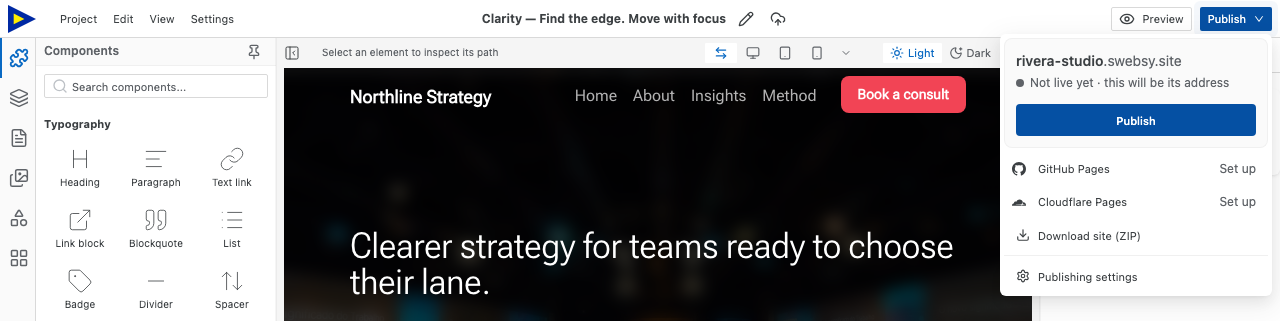
- Publish → Download site (ZIP) gives you the finished website: HTML, CSS and images you can host anywhere.
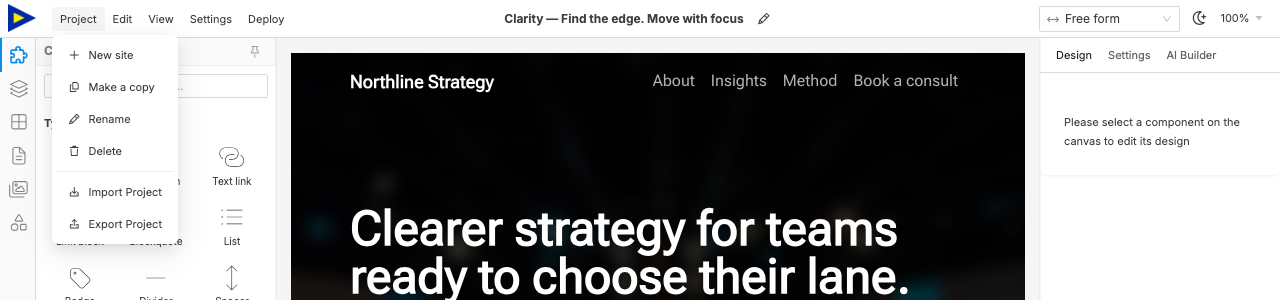
- Project → Export Project gives you an editable backup you can import again later.
Publishing with us doesn’t change that. A site on Swebsy Hosting exports the same way as one that never left your browser.
How to move, with ChatGPT or Claude
Section titled “How to move, with ChatGPT or Claude”You can do the whole move by asking your AI. ChatGPT or Claude reads your current site and rebuilds it in Swebsy, page by page, while you watch. It runs on your own ChatGPT or Claude plan. Swebsy doesn’t charge for it.
-
Connect your AI. Follow Build with ChatGPT or Claude. It takes one pasted link and a free Swebsy account. ChatGPT needs a paid plan with developer mode; Claude works on any plan, including Free.
-
Ask it to move your site. For example:
Move my Squarespace site, https://www.example.com, to Swebsy.Keep my copy and page titles, and tell me what didn't come over.If it can’t open the link, paste each page’s text into the chat instead.
-
Check every page. Read the copy, swap in your own photos, and fix anything that looks off. You can edit directly in Studio, or keep asking.
-
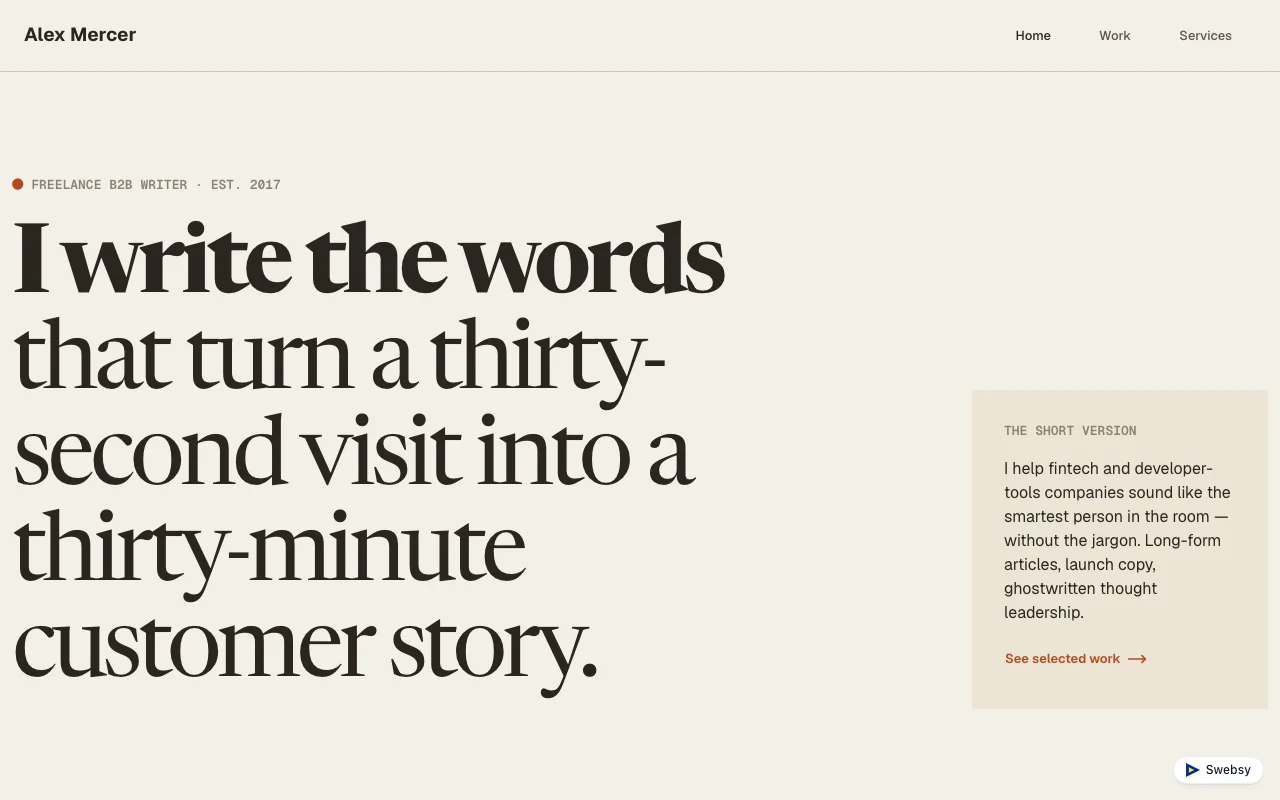
Publish. Click Publish in the topbar. Your site goes live free on
yourname.swebsy.site. See Swebsy Hosting. -
Move your domain last. On a paid plan, connect your domain and wait until the new site loads on it. Then cancel Squarespace.
The AI’s first pass won’t be perfect. Plan an afternoon to check it, not a minute.
Where Squarespace is the better choice
Section titled “Where Squarespace is the better choice”- You sell products, services or digital content on your site.
- Clients book appointments through it.
- You publish a blog, or run a members area.
- You want one company to handle the site, the store, email campaigns and the domain.
Where Swebsy is the better choice
Section titled “Where Swebsy is the better choice”- Your site is a few pages that present you and bring in enquiries.
- You want it live for free, or on your own domain for $69 a year.
- You want to download the whole site and an editable backup, any time.
- You’d rather use the ChatGPT or Claude you already have than pay for AI features in a website plan.